What you will take away
- ✓Identify why faster code generation can still mean slower development.
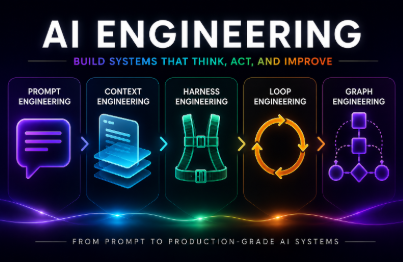
- ✓Understand which problems context, harnesses, loops, and graphs address.
- ✓Choose one part of your own workflow to improve first.
This course introduces the concepts. Continue with a paid course below when you are ready for coding practice.
Who this course is for
For people who have tried Claude Code or other AI coding tools and spend too much time reviewing and fixing the results. This course introduces concepts and workflows without coding exercises.
Curriculum
Lessons are ordered from oldest upload to newest, preserving the series order. You can also choose a lesson that interests you.
Ready to build it yourself?
Once you have a direction, continue practicing with a paid CodeBridge course that matches your goal.
Paid course on InflearnHarness · Loop · Graph Engineering
Put the ideas from this free course into practice, from context and harnesses to execution loops and agent graphs.
Before you start Basic programming · Experience with AI coding tools
View the curriculum on Inflearn ↗ 
Paid course on InflearnHow to Properly Use Claude Code
Organize your Claude Code environment and connect project rules, Skills, and Hooks into a consistent development workflow.
Before you start Basic Git and npm · Experience with Claude Code or similar tools
View the curriculum on Inflearn ↗ Before you start
Do I need to sign up or pay?
No. Select Start learning for free and begin right away. The recommended in-depth courses are separate paid courses on Inflearn. You can take just the free course.
How is progress saved?
Your playback position, completed lessons, and notes are saved in this browser. Clearing browser data or changing devices may remove access to them. A video ending marks a lesson complete, and you can also mark it manually.
Can I watch without knowing how to code?
The free course explains concepts without coding exercises. Some experience with AI coding tools will help. The recommended paid courses require basic programming or development tools; check their prerequisites before enrolling.

